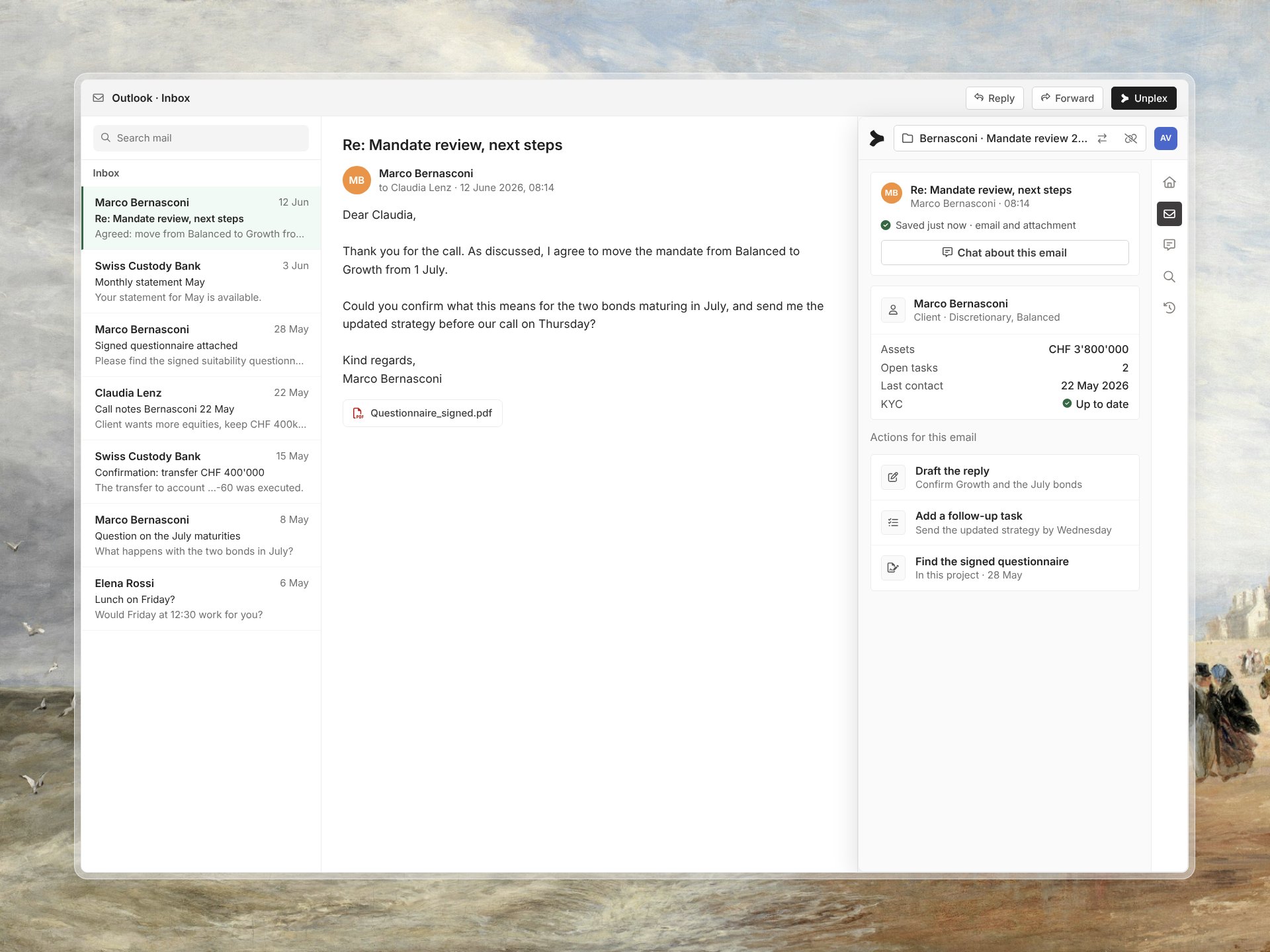
Find every relevant email. Reply and file it from Outlook.
Search your mailbox in plain language, ask the agent about a thread, draft the reply and save the correspondence to the client project, without leaving Outlook.
The client history is spread across a hundred emails.
Instructions, confirmations and documents arrive by email, in different threads and folders. Finding what a client agreed means searching by keyword and opening message after message. Filing it to the client record happens by hand, if at all.
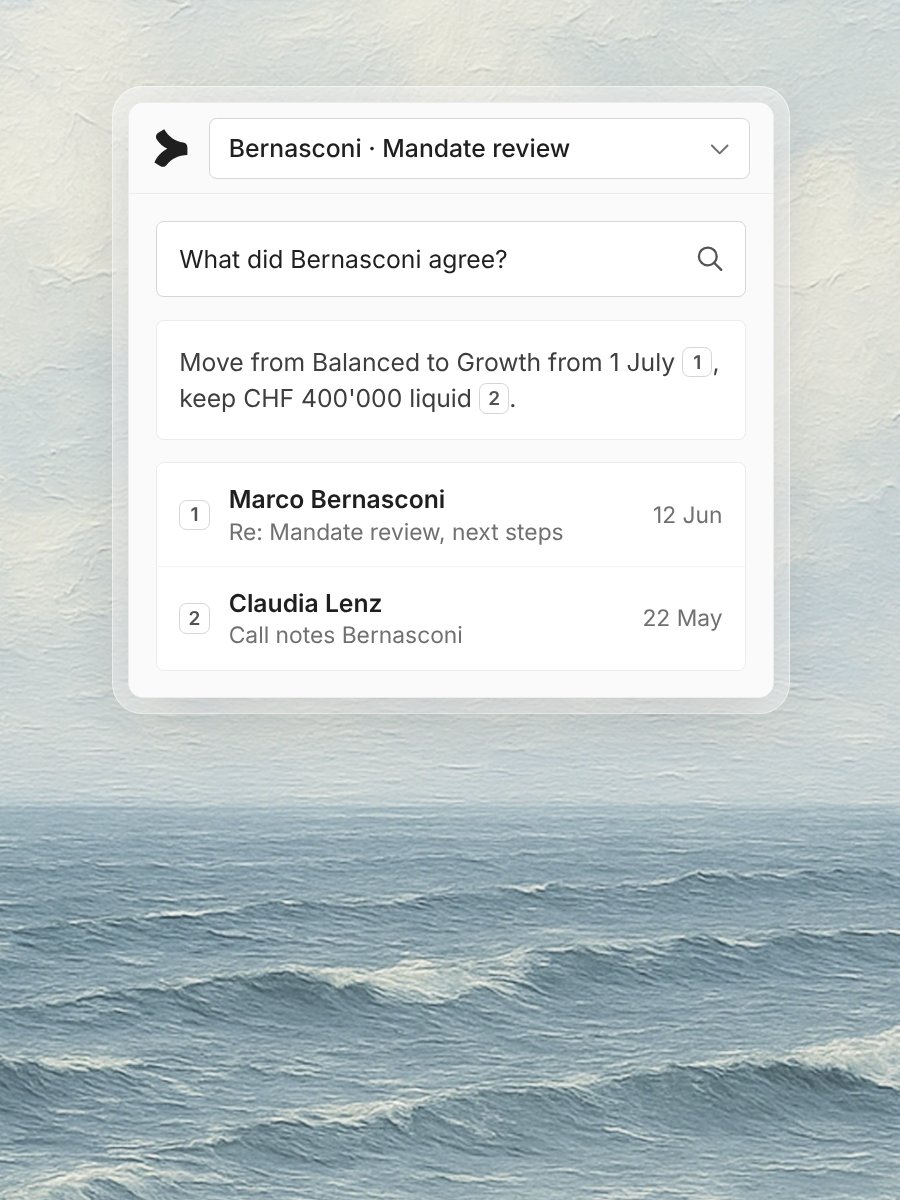
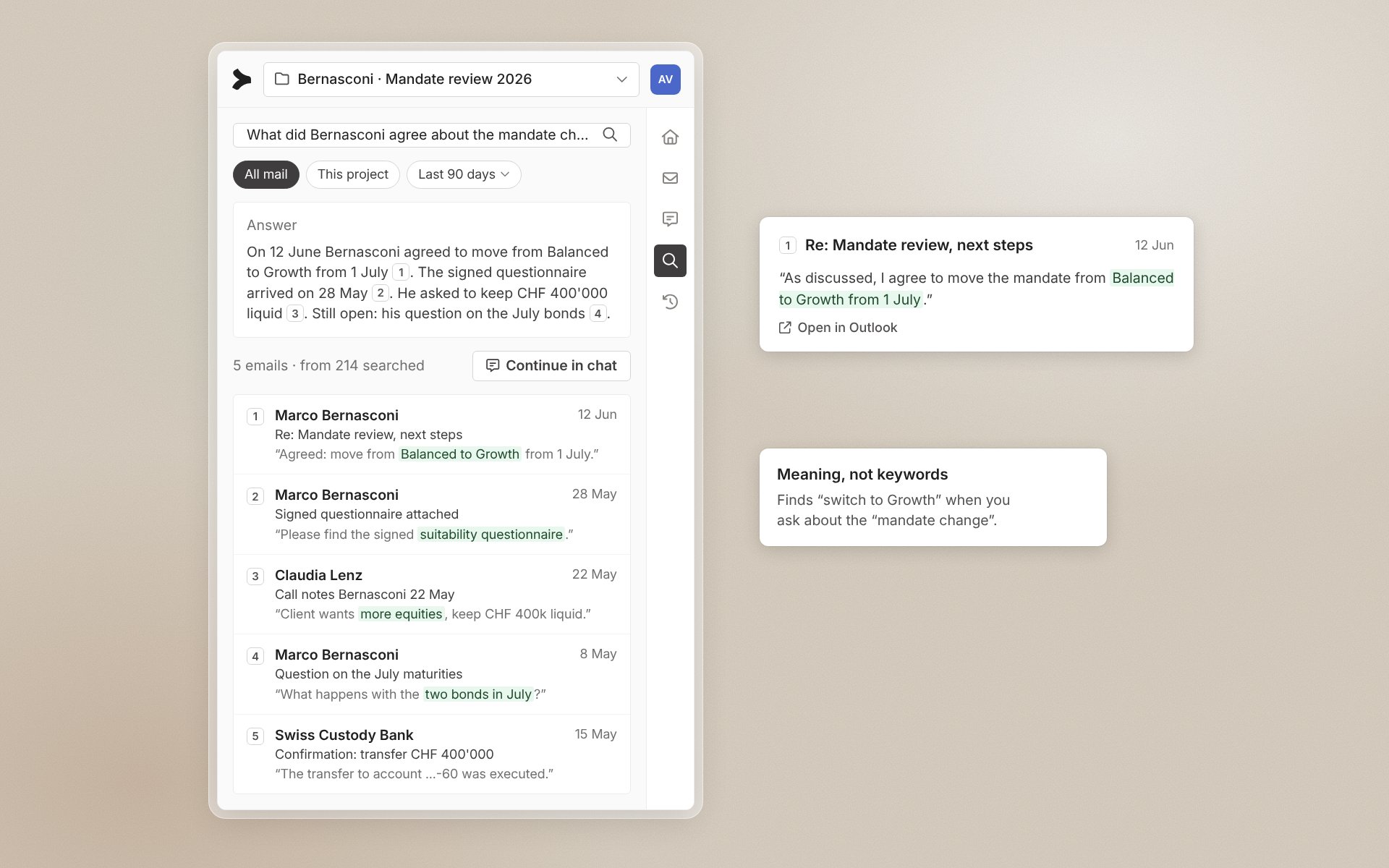
Search the whole inbox
Ask in plain language. The add-in finds the relevant emails across folders and threads, with a link to each one.
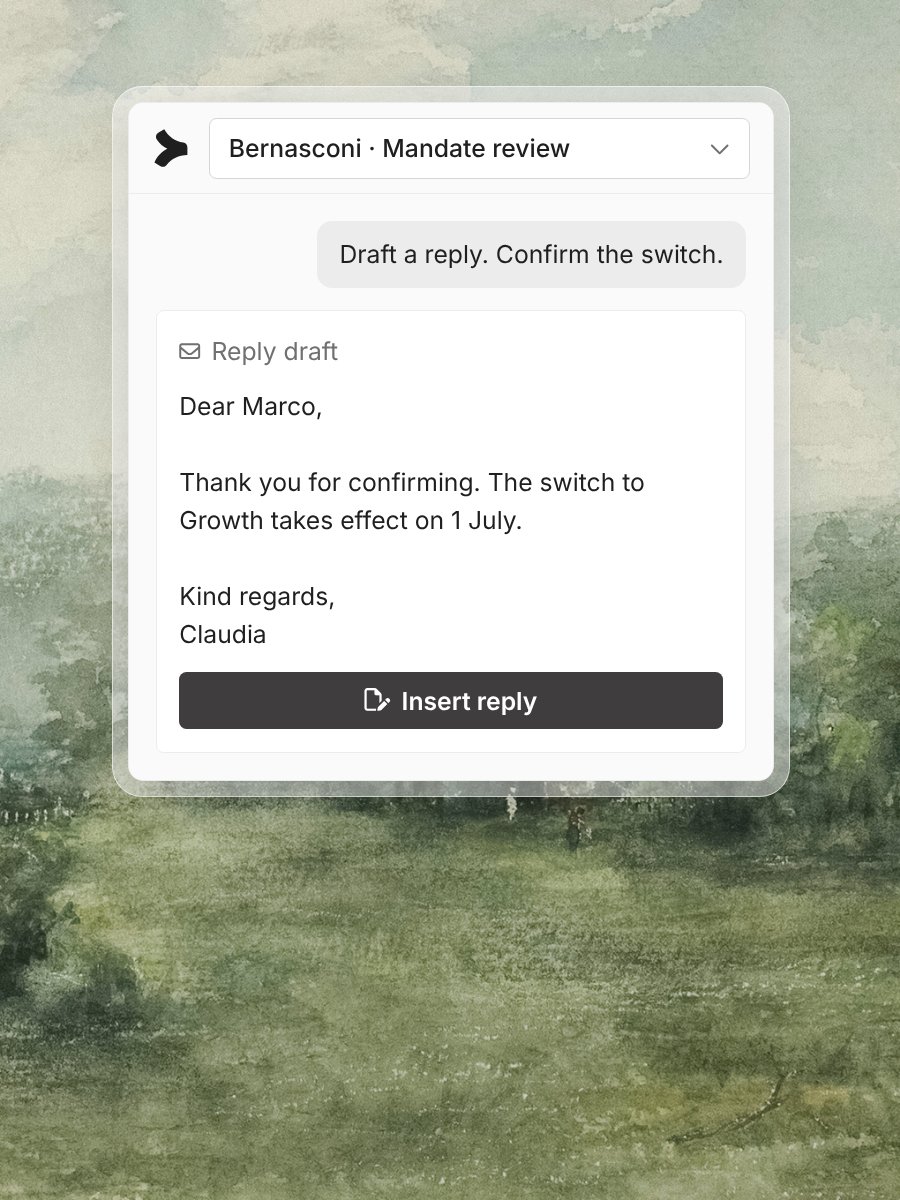
Ask and reply in Outlook
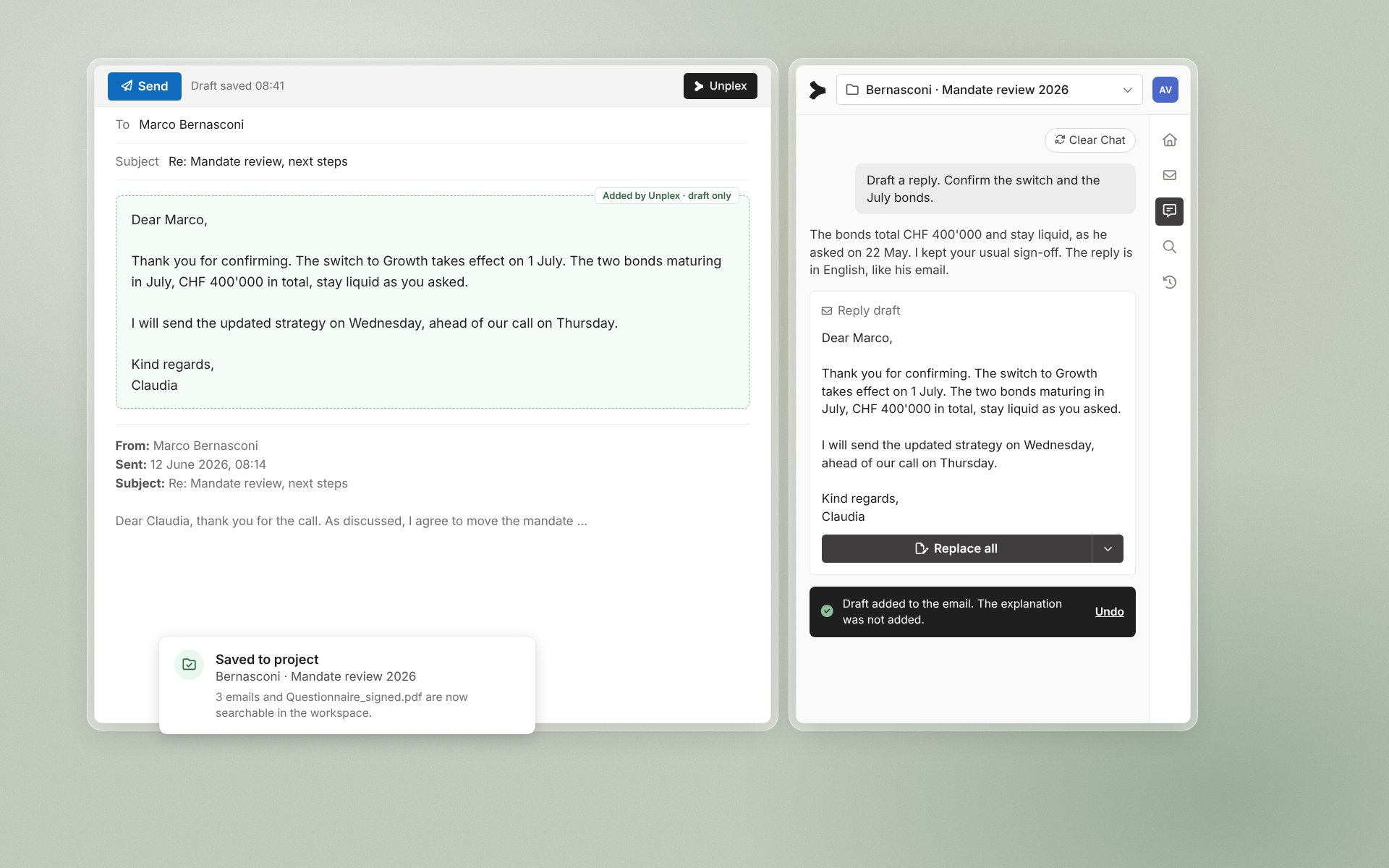
Ask about the thread in front of you. The agent drafts the reply with the facts from your systems, ready to edit.
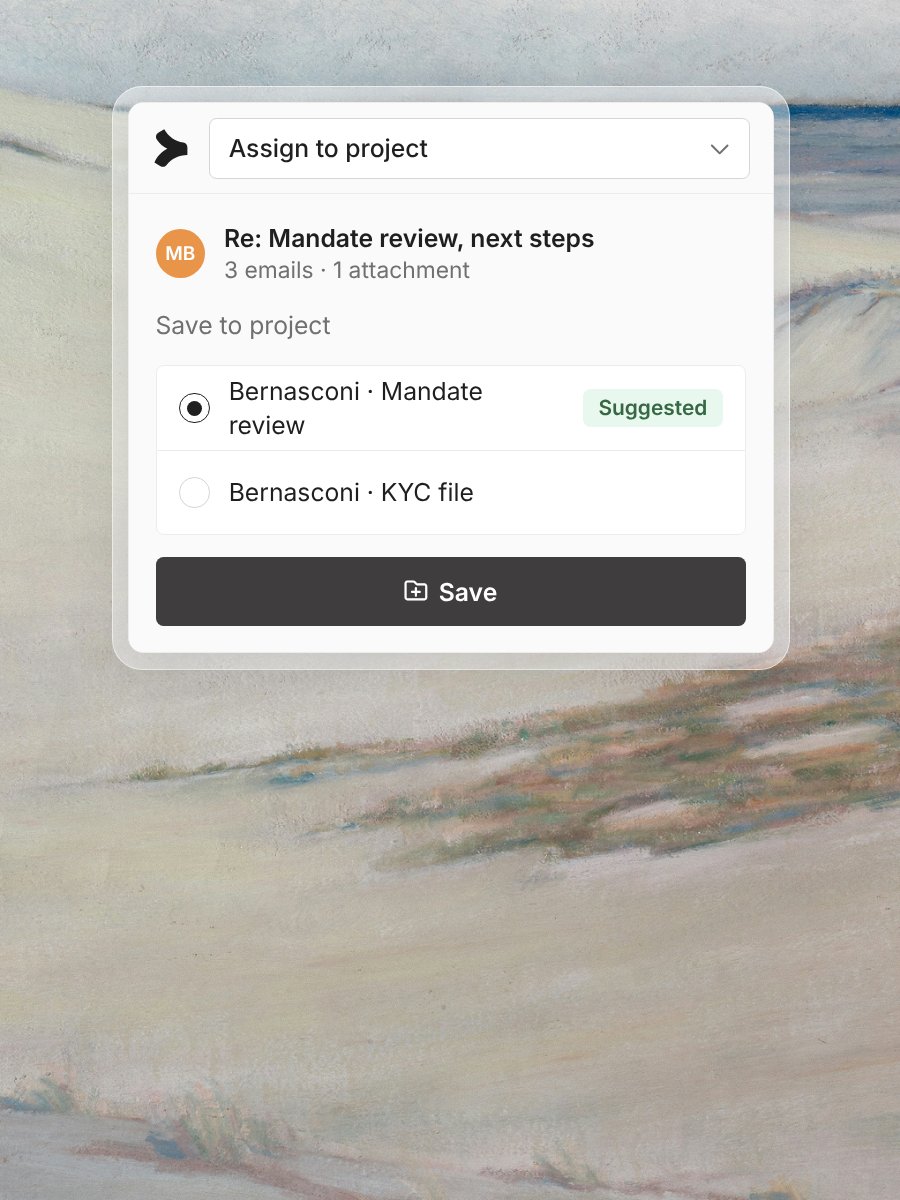
Save to a project
File emails and attachments to the client project in one click. From then on, the workspace can search them.
Ask once. Every relevant email is listed.
“What did Bernasconi agree about the mandate change?” returns the five emails that matter, with the date, the sender and the passage that answers the question. Each one opens in Outlook.
Draft the reply. File the thread.
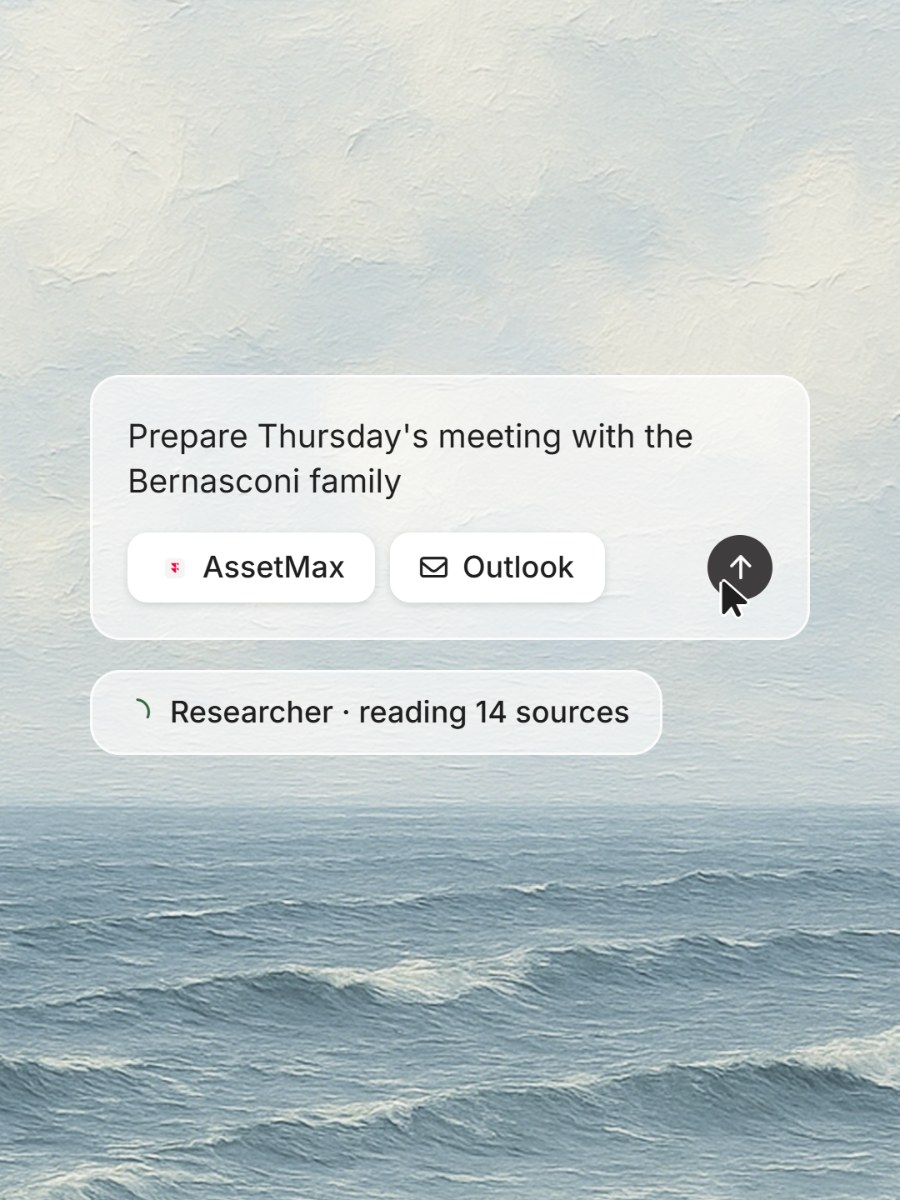
The agent drafts the reply in your tone, with figures from the PMS marked for checking. You edit and send it yourself. The thread and its attachments go to the client project, so the next search finds them.
“Most client decisions are made by email. The add-in finds them where they were made and files them where they belong.”